
01 / The starting point
A question that became a working harness.
It started with questions about the agent tools I was already using.
Working on agentic systems, I wanted to get closer to the decisions behind the tools we use. How do agents share work? What gives them permission to act? What happens when something goes wrong?
In April 2026, I started building a small harness to explore those questions, with Claude as the main developer and ChatGPT as a reviewer. I’m not a developer, though I have a solid understanding of software development methods.
The project kept growing. Today, I use Nodal for some everyday tasks, to try different models, and to test other ways of coordinating agents. It gives me somewhere to change an approach and see how it behaves in practice.
02 / The questions
What I’m trying to understand.
The harness lets me experiment with the mechanics behind an agent’s behaviour. These are the questions I keep coming back to.
-
How should agents share the work?
The questionWhen does it help to hand a task to a specialist? When does splitting it across several agents add more coordination than value?
-
Where should autonomy begin and end?
The questionWhich decisions can an agent take on its own? When is an approval useful, and what information helps someone make that decision?
-
What do I need to see to follow the work?
The questionHow can I tell what happened, what changed, and what still needs checking? What should be visible when an agent reports that it has finished?
-
What changes when the model or context changes?
The questionHow much of an outcome comes from the model, its instructions, the tools it can reach, or the information it remembers?
These are areas of exploration, not results. My own use gives me observations to discuss and approaches to keep testing.
03 / The harness today
A place to put those questions to work.
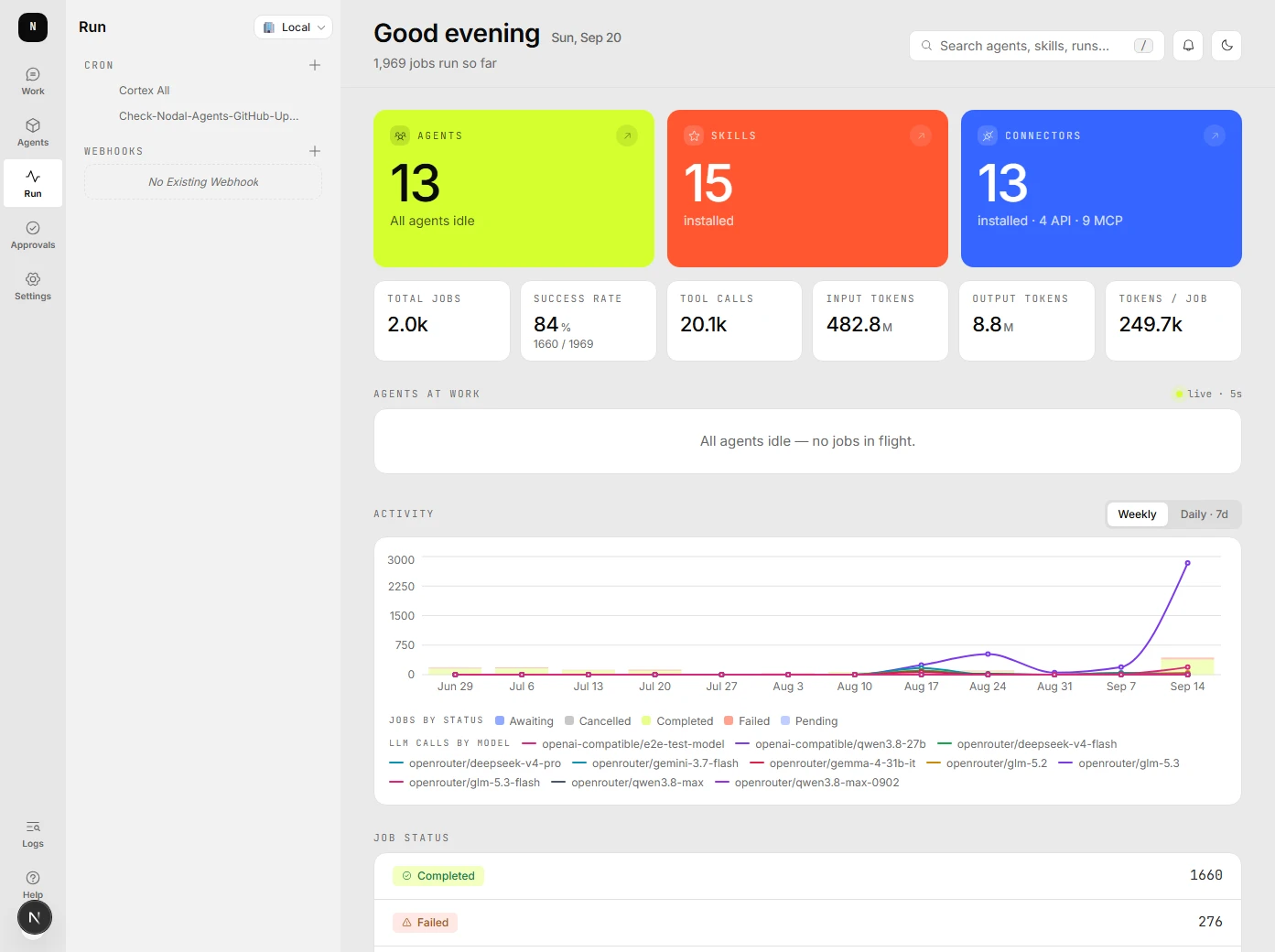
Nodal runs on your machine and connects to the models and tools you choose. This is what the working project looks like today.
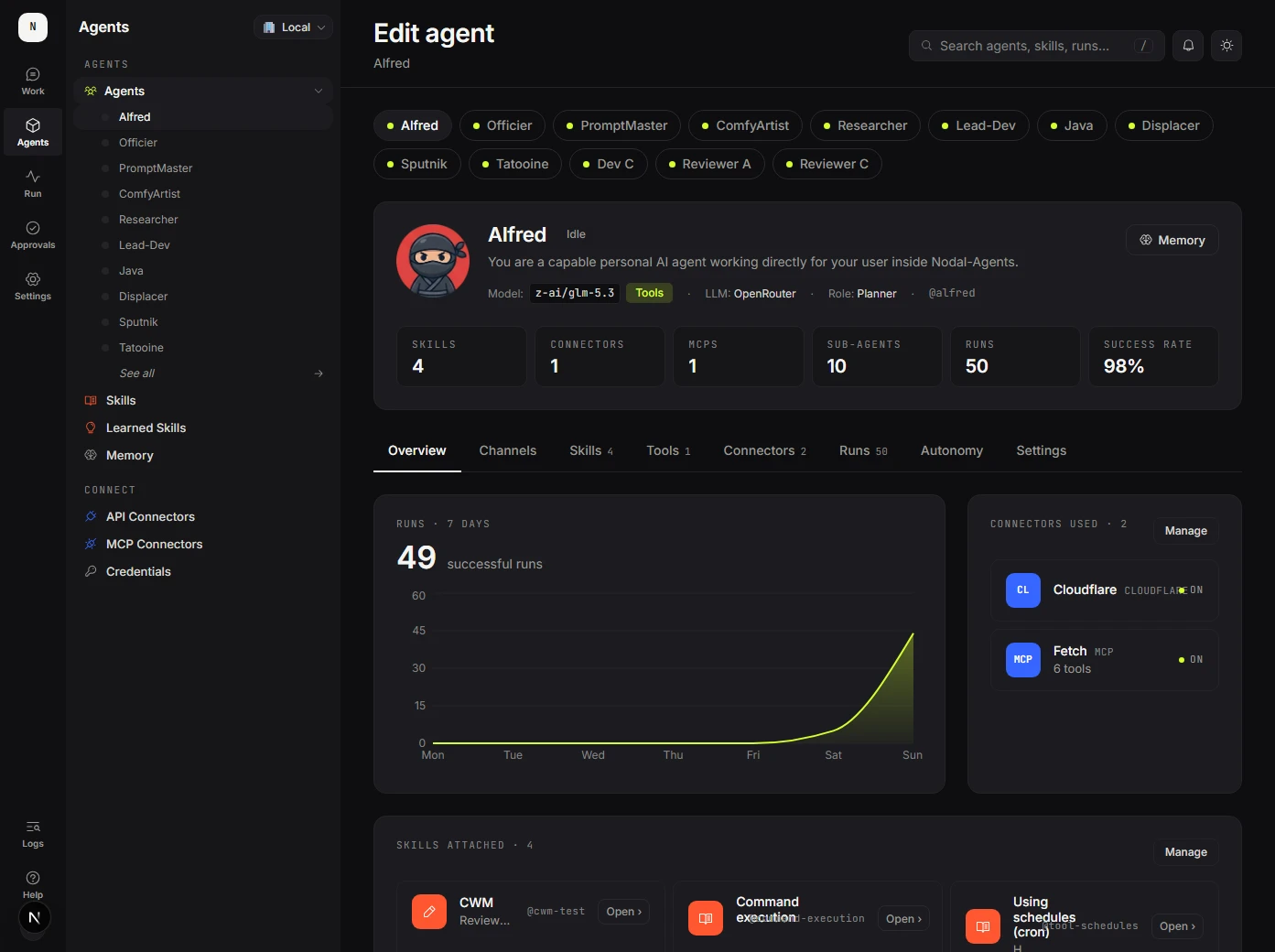
Different agents, different setups.
Each agent can have its own model, tools, skills and memory settings. Tasks can be delegated to other agents.
Real tasks and connected tools.
Try research, document work or repository tasks through the dashboard, messaging channels, schedules and webhooks.

Visibility and ways to intervene.
Inspect execution records, configure approvals and limits, and use workspace snapshots to recover earlier file states.
Models, connectors and other building blocks
- Models
- Hosted providers including Anthropic, OpenAI, Google and OpenRouter, plus local models through tools such as Ollama and LM Studio.
- Tools and context
- Connectors for services such as Gmail, Notion and Google Drive. MCP servers extend access to other tools. Skills provide written guidance.
- Ways to interact
- The dashboard, Telegram, Discord, Slack and WhatsApp. Tasks can also start from a schedule or a webhook.
04 / In practice
How I approach each question.
-
How should agents share the work?
What I can test in NodalRoute a request to one agent, or distribute work across several. Follow the child tasks and how their results return to the orchestrator.
-
Where should autonomy begin and end?
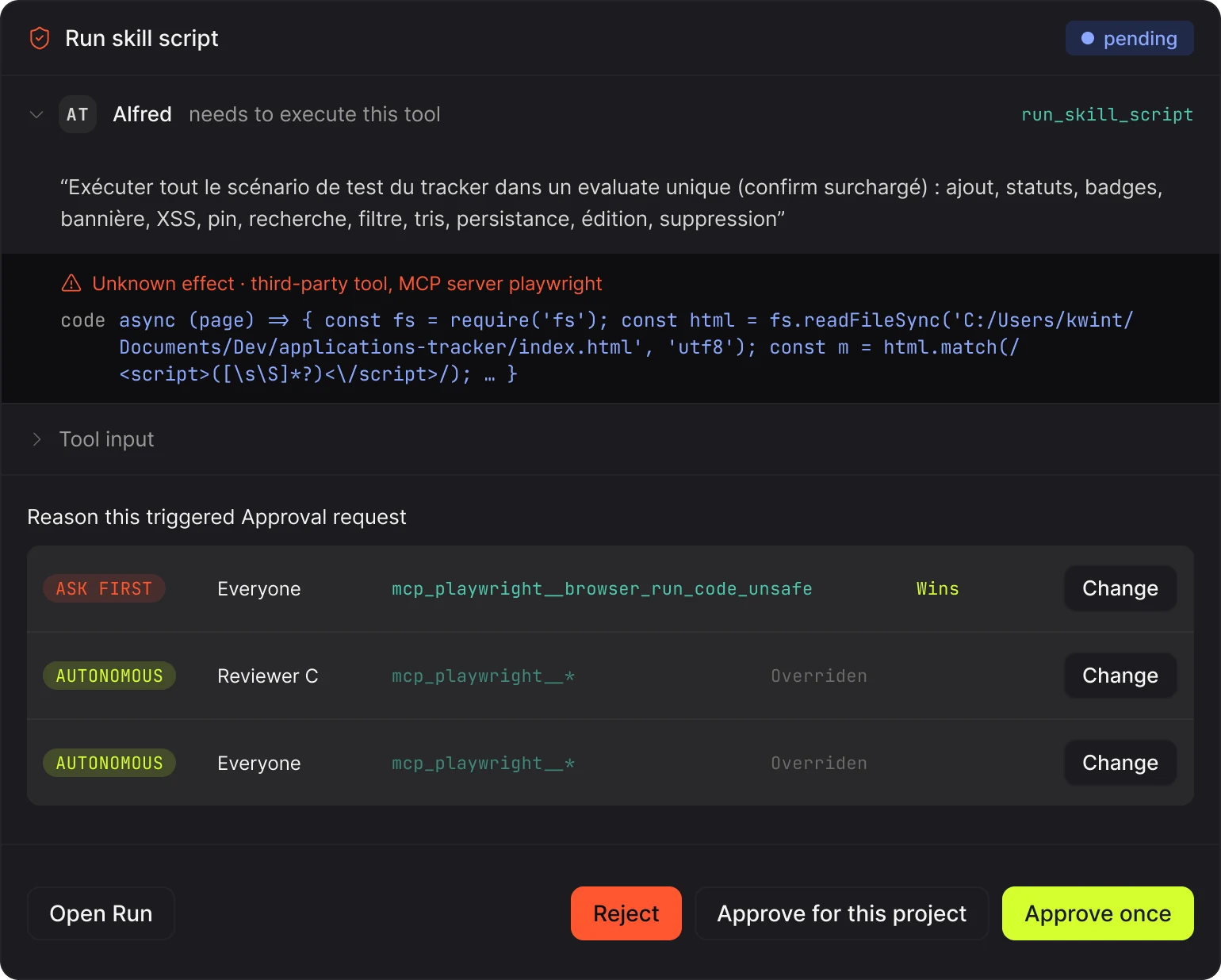
What I can test in NodalSet autonomy and tool access per agent. Try approval steps that explain the intended action and its impact, with limits on execution.
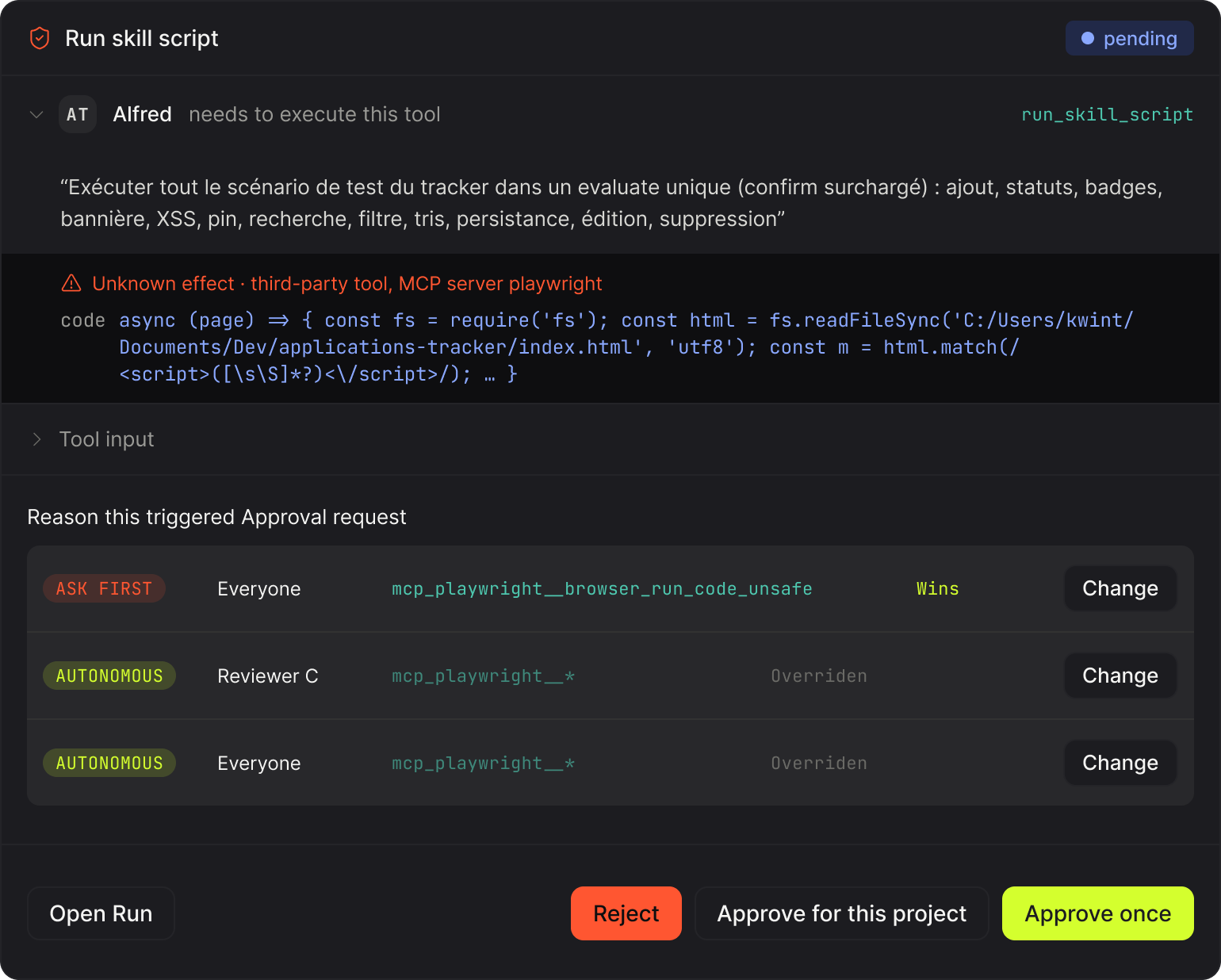
An approval request shows the action, its effect and the rule that triggered it. A rule on a single tool wins over broader ones, set per agent or for everyone. -
What do I need to see to follow the work?
What I can test in NodalInspect run histories, changed files, verification output and reviewer findings as separate records. Trace errors through delegated tasks.
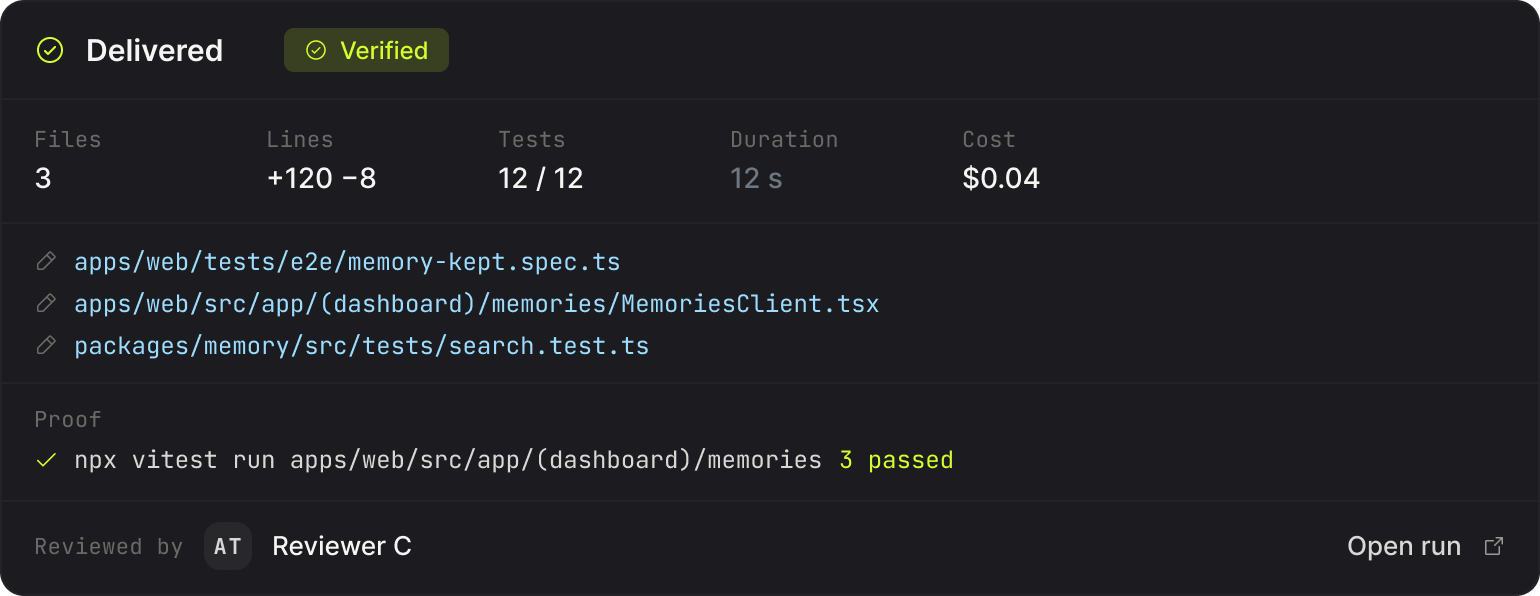
When an agent finishes, the delivery lists the files it changed, the tests and proof that ran, and who reviewed the work. -
What changes when the model or context changes?
What I can test in NodalChoose different models per agent, assign skills and connectors, and work with persistent memory across tasks.
05 / Building & checking
The experiment includes how I build it.
Claude handles the main development work, with ChatGPT as a reviewer. I use this setup to turn questions into changes I can try in the harness.
The repository also includes automated checks, tests and a public quality report. They make the state of the project easier to inspect as it evolves. These figures are measured, not estimated.
- 34 packages measured
- 11,203 test cases
- 960 test files
- 299 end-to-end cases
- 82.0% line coverage
- 23 / 24 capabilities green at both levels
Measured by the nightly run on 8 October 2026, commit 168014be. See the run 23 of the 24 capabilities are green at both levels today. The other one is missing one level, and the page that tracks it says so in grey rather than in green.
Nodal is still pre-1.0. I use it for personal tasks while continuing to explore its behaviour and limits. Tests and reviews are part of that process, and the report shows them as they are, including what is not measured.
See the quality report Read the changelog
-
Keep changes inspectable.
Development happens through small pull requests, with automated checks and review.
-
Check what actually happened.
The harness keeps file changes, verification output and reviewer findings available to inspect.
-
Make room for another perspective.
Sharing the project is a way to get feedback on the choices, discover different use cases and compare approaches.
Where it stands
A working project used for personal tasks and ongoing experiments. It continues to change, and updates can include breaking changes.
Where the exploration continues
Different models, new use cases, and ways to make delegation, autonomy and control work together. Other people’s experiences are part of what I want to learn from next.
06 / Try it & compare notes
Curious? Take a closer look.
You can run Nodal locally and explore the current implementation. The documentation covers setup and configuration.
npm install -g nodal-agents
nodal-agents upRequires Node.js 22 or later. Connect your own model provider or a local model. Provider usage may incur costs. Read the setup guide
I’d like to hear what you find.
Maybe you’ve tried another way of handling approvals. Maybe delegation worked differently from what you expected. Or perhaps there’s a task you’d like to explore with it.
That’s why I’m sharing the project: to get other perspectives on something I’ve mostly been exploring through my own use.
An issue is a good place for a concrete observation, a question or an idea to explore.